
Trux Settings
This page explains all the settings on the Trux tab and how they impact the Trux import.
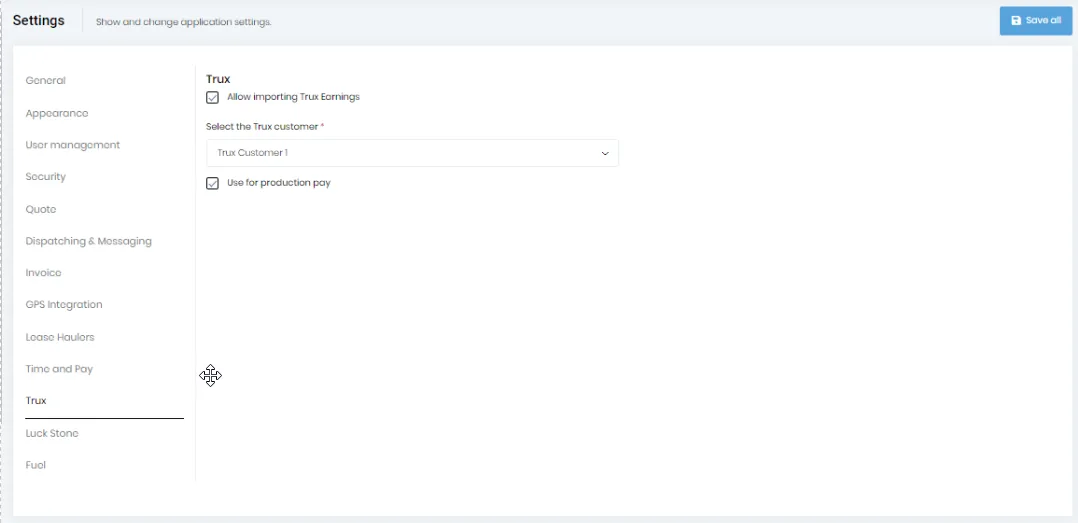
The “Trux” tab will be shown only if import Trux earnings feature is enabled on the tenant. For importing Trux earnings, you should have the required permission and should enable the “Allow importing Trux Earnings” checkbox on this page.
Also, you have to specify the customer on the “Select the Trux customer” control. If there is a single customer with the text of “Trux” somewhere in the name, that customer will be automatically selected on the control and you can change it. You have to select the customer if there are multiple customers with “Trux” in the name.
These settings allow you to import Trux earnings from “Tickets” view.
Check the “Use for production pay” checkbox i f you will be paying your driver based on production for these Trux jobs. Leave it unchecked if you are paying your drivers for this work on an hourly basis.